

Appearance
The anybill API
About
The anybill Vendor API connects point-of-sale (POS) systems to the anybill digital receipt platform. POS software providers use it to transmit the data of every purchase to anybill, so that merchants can issue digital receipts instead of, or in addition to, printed ones. Customers then receive their receipt by scanning a QR code on the customer display, by scanning their customer card or app at the checkout, or automatically through a connected payment method. Beyond receipts, the API lets you synchronise a merchant's stores and pass loyalty information such as scanned customer cards, points and coupons to the respective loyalty provider. A single integration into your POS software makes these features available to every merchant using it and lays the foundation for data insights, customer loyalty and marketing use cases.
Integrating with an AI coding agent or chat assistant? anybill provides machine-readable documentation, a Vendor API
llms.txtand a ready-to-useAGENTS.mdfile for POS integrations. See AI-Assisted Integration.
Getting Started
For integrating anybill into a POS software system a few simple steps are required:
Have a look at the legal requirements
For information about legal requirements click here.Integrate authentication
Each POS software provider receives a clientId assigned to him and credentials for every vendor. Have a look at the authentication documentation for more information.Integrate the Bill endpoint
There are four options for sending bills digitally:
| Display of a QR Code on a customer display (preferred solution) | |
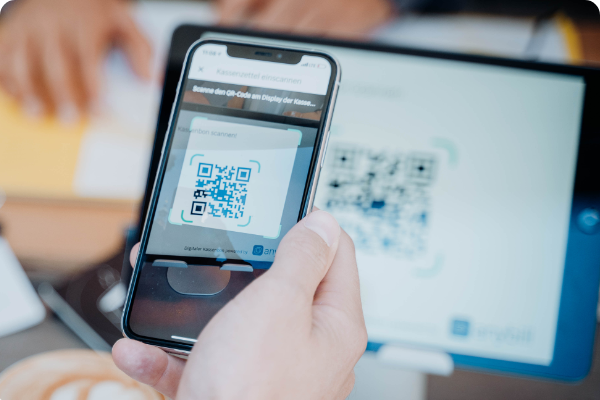 | By scanning the QR-Code from a customer- or terminal display the user can receive the receipt directly by using an App or the smartphone camera and will then get directed to an website where the receipt can be downloaded as a PDF. Therefore the receipt data has to be sent to the bill endpoint of the Vendor API. It will return a link which then has to be displayed with an QR-Code on the terminal or customer display. |
| With an enabled Bank card | |
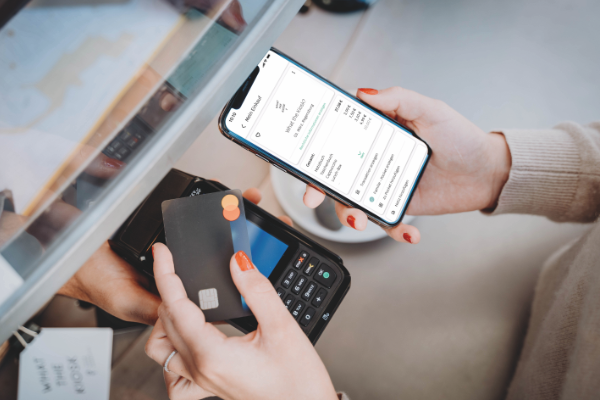 | The new Vendor API v3 is able to send an receipt directly to a user by using the banking card as an identifier. Therefore the POS System has to send every receipt to the bill endpoint of the Vendor API. anybill then can identify the user and will match the receipt to the user account. |
| With the existing Loyaltycard of the retailer | |
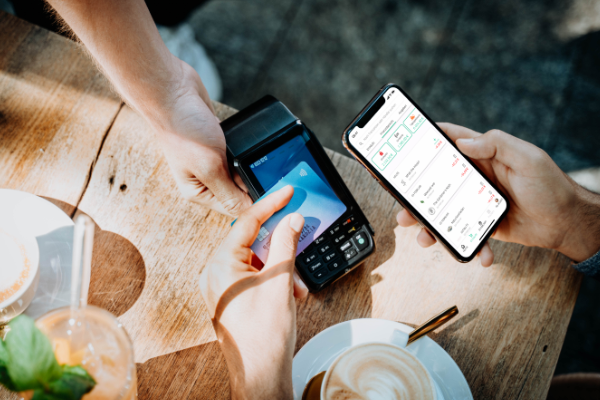 | Every existing loyalty card system of a retailer can be enriched with all the anybill features e.g. digital receipts. Therefore the loyalty card ID has to be sent to the bill endpoint of the Vendor API. |
| Scan of the QR Code in an app | |
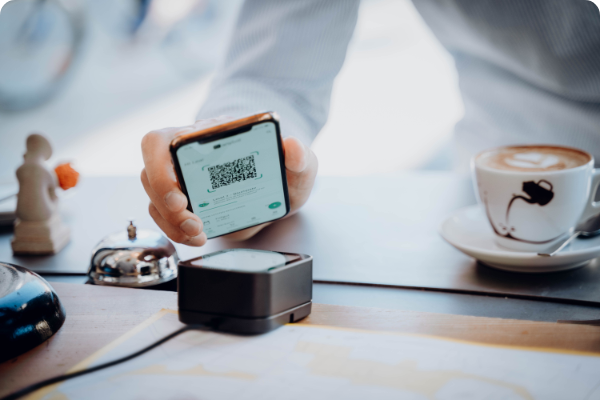 | The receipt is transferred by reading the user ID out of the QR-Code which is displayed in an App. The user ID will be sent to the api together with the receipt data via thebill endpoint. |
Create a Screen for showing the receipt with a QR Code on a customer display
Note the Template for the Customer Display.Integrate Store Management
To automatically manage and sync all stores of an vendor the Store API can be used.Integration Review
After finishing the integration, anybill will review it.
More information about the review
Retry Policy Guidelines
To ensure the reliable and consistent delivery of digital receipts, we recommend that all partners implement a robust retry policy when interacting with our API. This policy helps manage temporary network issues and ensures that receipts are processed successfully.
When to Retry
Every status code an endpoint can return, together with the retry decision for it, is listed in a Status codes table on the respective endpoint page (Bill, Store, Loyalty). Those tables follow one common rule set:
| Class | Meaning | Action |
|---|---|---|
| 2xx | The request was processed. | Done. Do not resend. |
| 401 | Access token missing, expired or invalid. | Do not back off. Refresh the token (or re-authenticate) once and resend the same request. A second 401 is a credentials problem – stop and alert. |
| Other 4xx (400, 403, 404, 409) | The request itself is wrong: invalid payload, missing scope or permission, unknown resource, or the operation was already performed. | Do not retry. Log the response body including its traceId, fix the payload or configuration. A 409 means the earlier attempt succeeded – treat it as done. |
| 5xx (500, 502, 503, 504) | Temporary problem on the anybill side or in front of it. anybill uses 504 when a write could not be completed in time; the request had no effect. | Retry with exponential backoff, resending the identical request. |
| Network error / timeout | No response received; the request may or may not have reached anybill. | Retry with exponential backoff, resending the identical request. |
The API does not use 429 (Too Many Requests); do not build client-side throttling around it.
Retry Strategy
- Exponential Backoff with Jitter:
- Start with a base delay of 1 second.
- Use an exponential backoff formula:
wait_time = base_delay * (2^retry_attempt) * random(0.5, 1.5). - Cap the maximum delay at 30 seconds.
- Retry up to 3 to 5 times before logging the final failure.
Idempotency
Ensure that all requests you retry are idempotent, meaning that multiple retries of the same request must not result in duplicate resources or inconsistent state. Send every retry with the same identifiers as the first attempt; the endpoint pages describe how each endpoint behaves when it receives the same request twice (for receipts, see Bill Endpoints).
Logging
We recommend logging each retry attempt, capturing the response status code, the time of the attempt, and the reason for the retry. This will assist in troubleshooting and improving integration reliability.
By following these guidelines, you can help ensure smooth and efficient interaction with our API, minimizing disruptions and enhancing the overall user experience.
Postman
A Postman collection can be found here. There are also Environments for Staging and Production
To acquire an access_token first set your credentials for the following collection variables:
- username
- password
- client_id
After your credentials are set, send a request with the GetToken request. The acquired access token will automatically be set for all requests in the collection. Choose the environment and you are good to go.
License
The anybill vendor API v3 data model builds upon the DFKA e.V. EKaBS-Json-Scheme. This scheme is licenced under the Creative Commons Licence CC BY-SA 4.0.
This results in the following rights for the user: The EKaBS-JSON schema and the documentation may be reproduced, redistributed, modified and used in any form as long as the reference to the DFKA e.V. as licensor is kept and modifications are only passed on under the same conditions.